MiniMax H3 Image 在线使用
在浏览器里用 MiniMax H3 Image 生成和编辑图片,不用装 ComfyUI,也不需要显卡。输入提示词即可出图,上传照片再说明要改什么即可改图。
试试 MiniMax H3 Image
从下面的提示词开始,或上传一张照片来编辑。发送前会显示所需积分。
MiniMax H3 Image 是什么?
MiniMax H3 Image 是 MiniMax H3 系列里的图像模型。同一个 MiniMax H3 Image 模型既能文生图,也能用最多 16 张参考图编辑图片。
在 ImgPilot 的实测中,MiniMax H3 Image 最出彩的是摄影质感:杂志人像、纪实与街头摄影、电影剧照和产品图。MiniMax H3 Image 也能写出标题、招牌、标签这类短文字。
MiniMax H3 Image 有三档尺寸:1K(约 100 万像素)、2K(约 400 万像素)和 4K(约 1600 万像素,例如 4096 × 4096)。MiniMax 在 Hugging Face 公开了模型权重,有合适显卡也可以在 ComfyUI 里本地运行。
在 ImgPilot 上,MiniMax H3 Image 和 GPT Image 2、Nano Banana 用同一个对话式编辑器,直接在浏览器里运行。在模型选择器里切换模型,就能用同一个提示词对比结果。
MiniMax H3 Image 在线用,还是用 ComfyUI 本地跑?
想马上试 MiniMax H3 Image,就在 ImgPilot 在线用:不用下载、不需要显卡,任何浏览器都能打开编辑器。如果想无限免费出图、加 LoRA 或离线使用,而且手上有强劲的 NVIDIA 显卡和足够的硬盘空间,再考虑用 ComfyUI 本地跑 MiniMax H3 Image。
| ImgPilot 在线使用 | ComfyUI 本地运行 | |
|---|---|---|
| 上手 | 打开本页,输入提示词即可。 | 安装 ComfyUI,再下载图像模型、文本编码器和 VAE。 |
| 硬件 | 任何浏览器,手机也行。 | MiniMax 官方只发布全精度权重;社区量化版大多面向约 8 到 24 GB 显存的显卡。 |
| 下载量 | 无需下载。 | MiniMax 官方全精度文件约 135 GB:图像模型 68.65 GB,加文本编码器 66.7 GB。社区量化文件约 7 GB 到 21 GB。 |
| 模型 | MiniMax 官方 H3 Image 模型,可选 1K、2K、4K。 | 官方模型或社区量化版,量化可能影响画质。 |
| 费用 | 按张消耗积分,发送前会显示;新注册账号送新手积分。 | 装好后运行免费,成本是显卡和电费。 |
| 可控性 | 可选比例、尺寸,最多 16 张参考图。 | 完全掌控工作流,包括 LoRA、批量生成和自定义节点。 |
模型体积来自 MiniMax 在 Hugging Face 的 MiniMax-H3-Image 页面(331 亿参数,蒸馏到 6 步采样)。MiniMax 官方没有公布最低显存,8 到 24 GB 的范围来自社区量化版本。
MiniMax H3 Image 出图示例(附完整提示词)
下面每张 MiniMax H3 Image 示例都是未修图的 2K 原图,图下是实际发送的完整英文提示词。
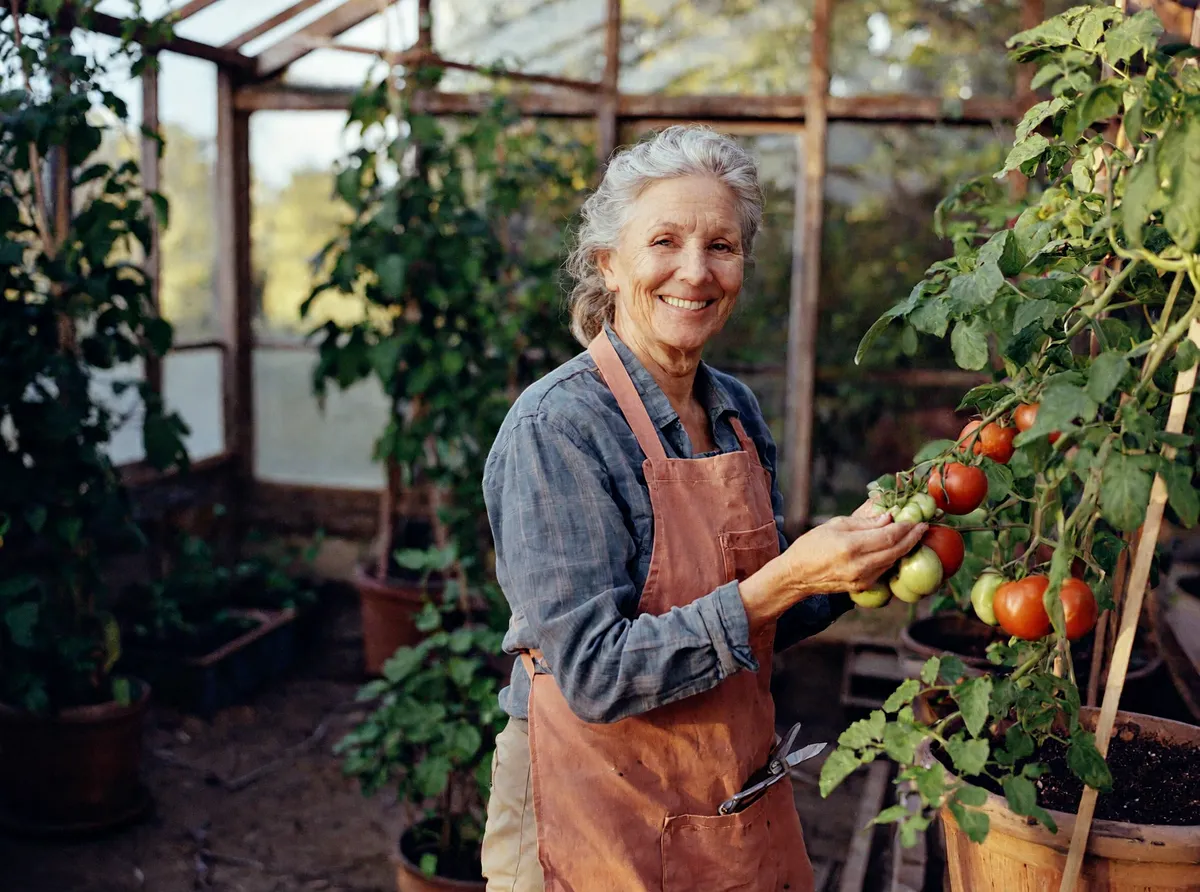
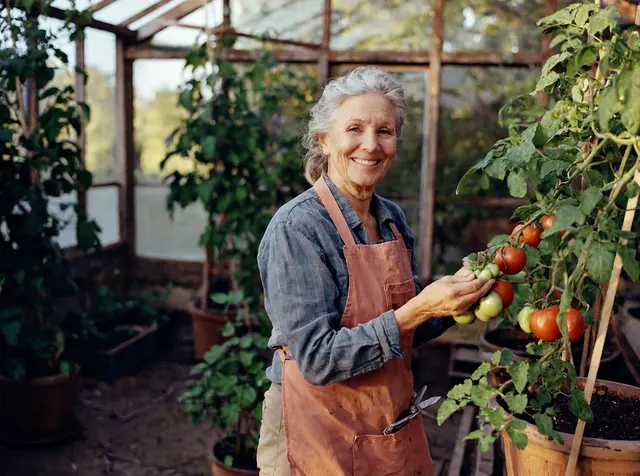
提示词Editorial portrait of a smiling woman in her sixties tending tomato plants in a backyard greenhouse, soft morning light through the glass, 35mm film photo
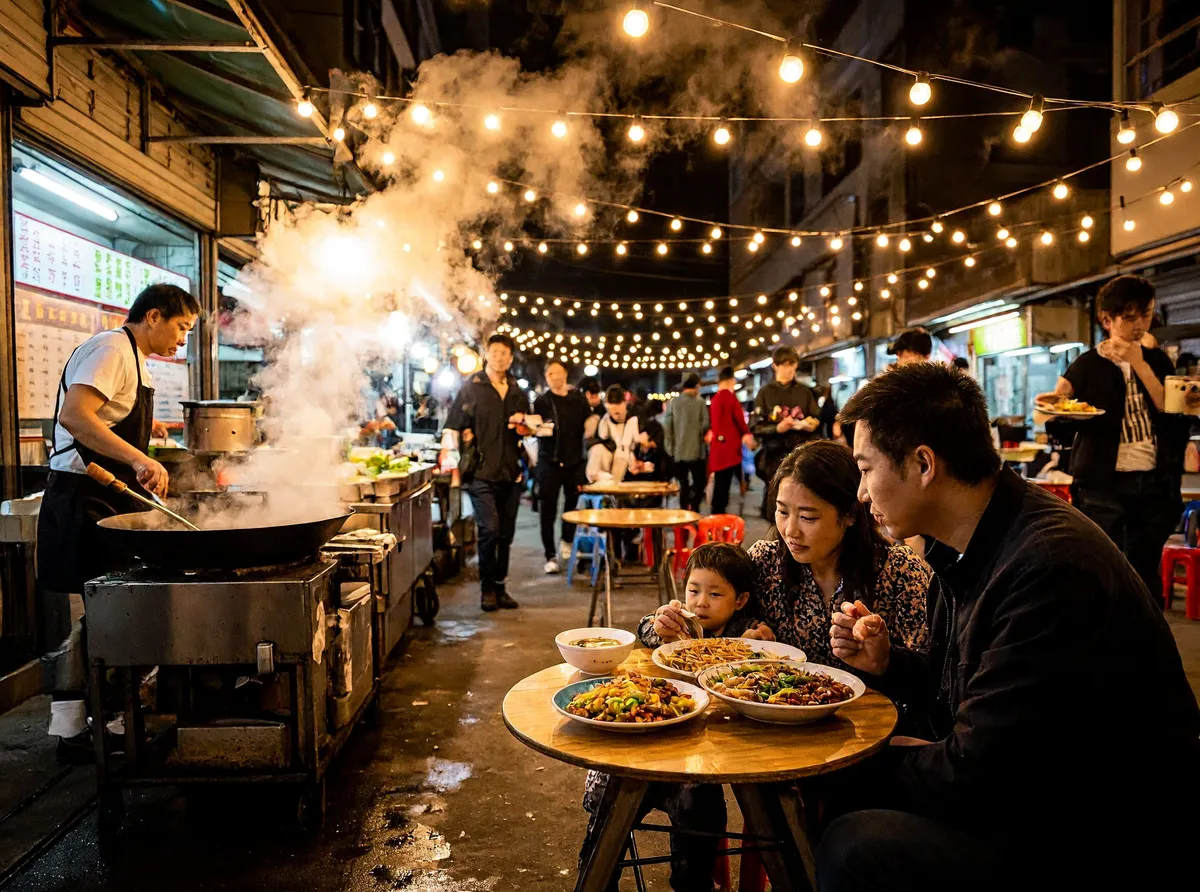
提示词Documentary street photo of a busy night market, steam rising from food stalls, families sharing dinner at small tables, warm string lights, shot on a 28mm lens

提示词Product photo of a white ceramic coffee mug printed with the words "GOOD MORNING" in black serif letters, on a light oak desk next to an open notebook, natural window light
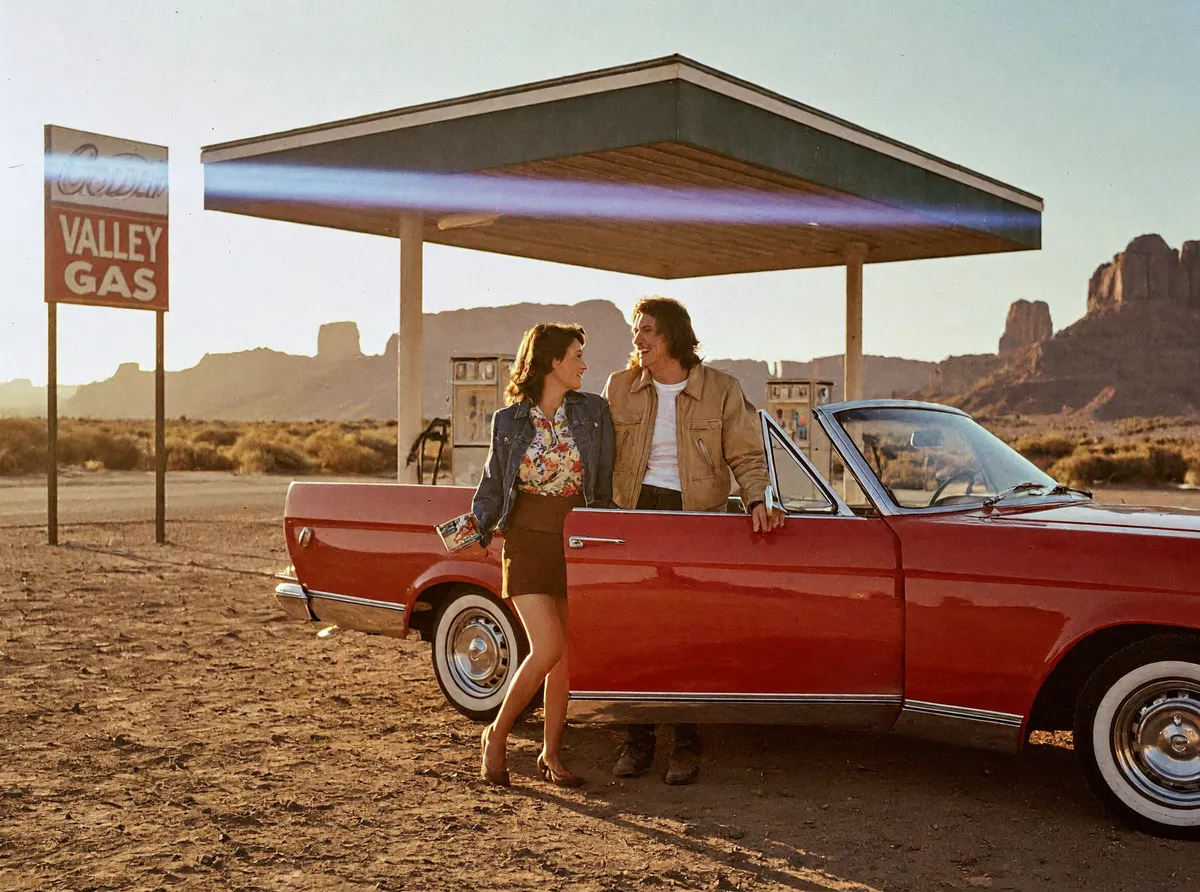
提示词Film still from a 1970s road movie: a red convertible parked at a desert gas station at golden hour, a couple laughing beside it, anamorphic lens flare, Kodak film grain
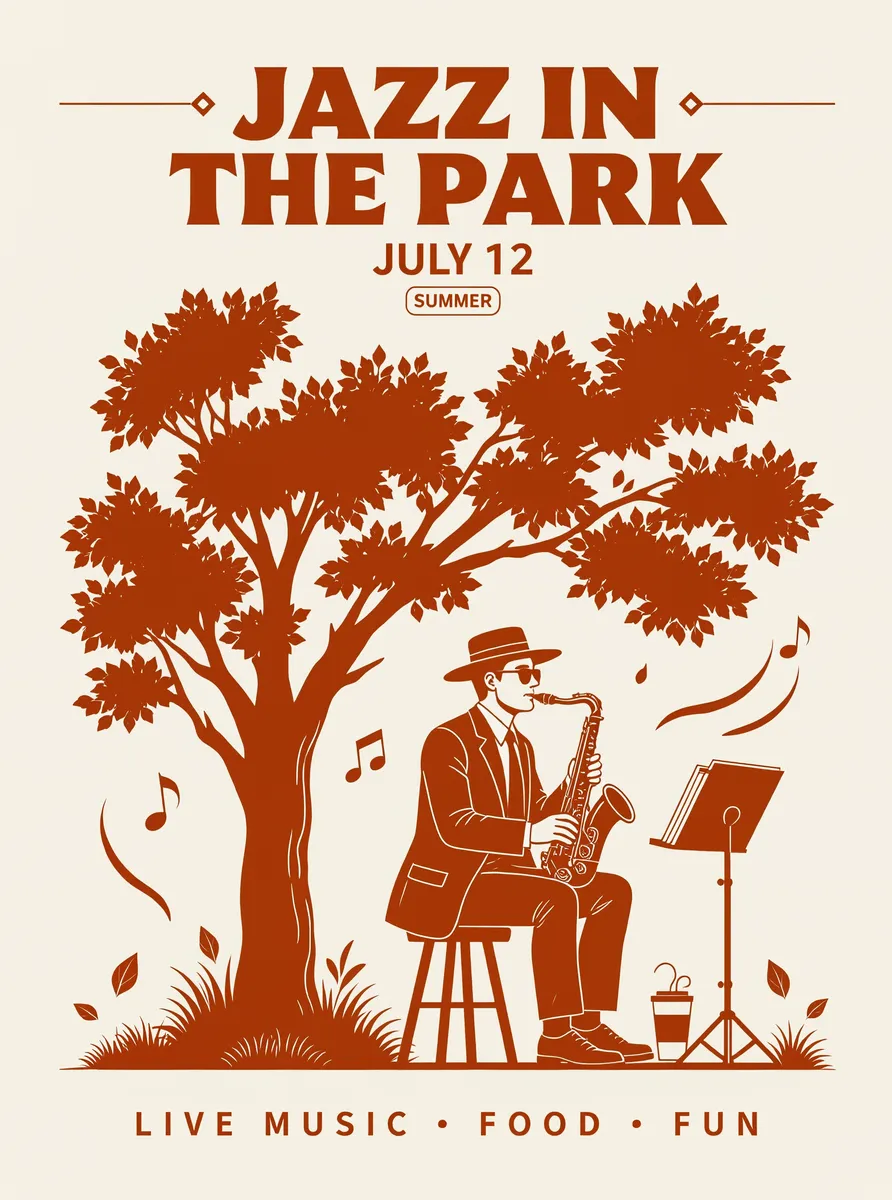
提示词Minimal poster for a summer jazz festival with the title "JAZZ IN THE PARK" and the date "JULY 12", flat illustration of a saxophone player under a tree, cream background, two-color print
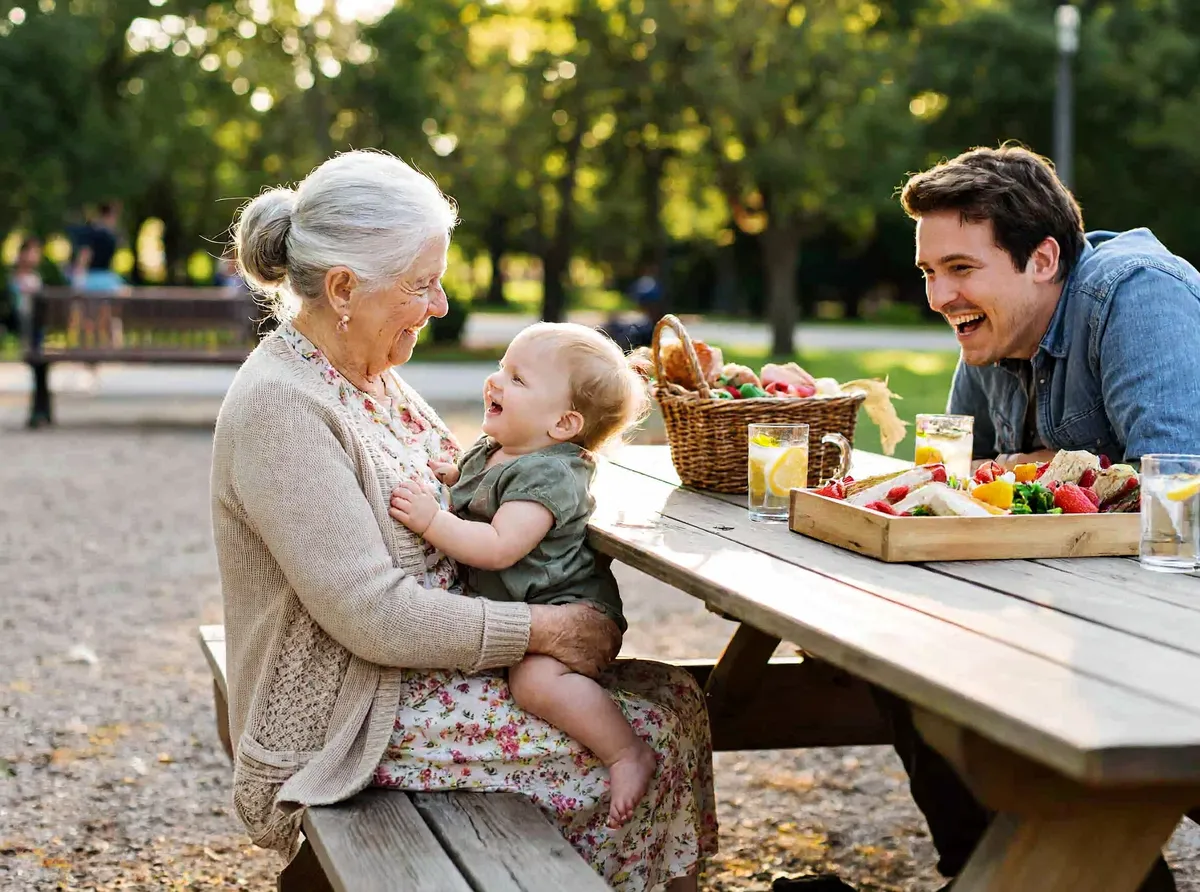
提示词Candid photo of three generations of a family laughing together at a picnic table in a sunny park, grandmother holding a toddler, natural colors, shallow depth of field
MiniMax H3 Image 怎么改图?
MiniMax H3 Image 按一句文字指令,基于一张或多张参考图来改图。这个 MiniMax H3 Image 编辑示例只用了马克杯这一张参考图:场景换成了海边咖啡馆露台,杯子的形状和 GOOD MORNING 字样保持不变。

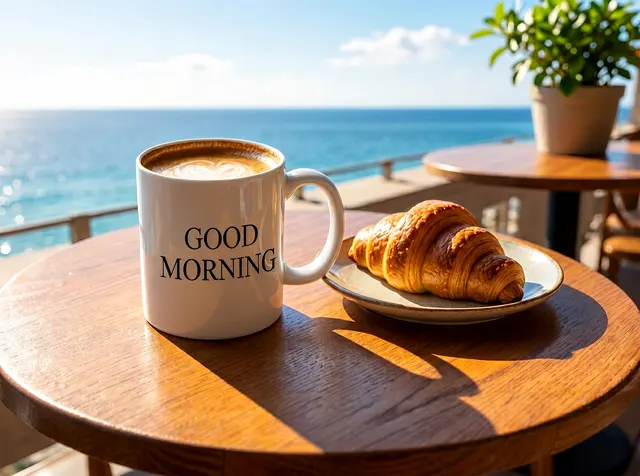
提示词Place the coffee mug from <Picture 1> on a small round table on a sunny café terrace by the sea, with a croissant on a plate beside it. Keep the mug shape and the GOOD MORNING lettering exactly the same.
MiniMax H3 Image 提示词怎么写?
MiniMax H3 Image 会先把简短的提示词扩写成详细描述再出图,所以一句大白话就能用。下面几个习惯能让 MiniMax H3 Image 的结果更可控。
- 像摄影师一样描述
- 写清主体、场景、光线和镜头或胶片,比如“杂志人像,柔和晨光,35mm 胶片”。MiniMax H3 Image 对摄影术语反应很好。
- 要出现的文字放进引号
- 把想要的文字写在引号里,比如“JAZZ IN THE PARK”。短标题、日期、价格在 MiniMax H3 Image 里最稳定。
- 改图时说明哪些不能变
- 在编辑指令结尾写上要保留的部分,比如“杯子的形状和字样保持不变”。MiniMax H3 Image 就会只改主体周围的场景。
- 给每张参考图编号
- 在 ImgPilot 里,按提示框上方图片的顺序称它们为图 1、图 2。MiniMax 官方 API 里同样的图叫 <Picture 1>、<Picture 2>。
- 在设置里选画面比例
- 在设置里选 4:3、16:9、9:16 等比例。选“自动”时,MiniMax H3 Image 新生成会自己挑比例,改图则沿用第一张参考图的比例。
- 中文英文都能写
- MiniMax H3 Image 支持中文和英文提示词,最长 5000 字符。
MiniMax H3 Image、GPT Image 2、Nano Banana 2 对比
同一个提示词分别发给 MiniMax H3 Image、GPT Image 2 和 Nano Banana 2 各一次,统一 1:1、2K,未修图也没有重抽。
提示词Close-up portrait of a smiling young barista with freckles in a small coffee shop, morning light from the window, shot on 85mm, natural skin texture

MiniMax H3 ImageImgPilot 上 5 积分 
GPT Image 2ImgPilot 上 10 积分 
Nano Banana 2ImgPilot 上 10 积分
三个模型都生成了可信的照片,雀斑也很自然。MiniMax H3 Image 的造型最多:绿色围裙上自己编了一个咖啡馆 logo,手里还端着拿铁;GPT Image 2 是最朴素的特写;Nano Banana 2 把咖啡师放进了有顾客的热闹店里。
提示词A chalkboard sign outside a bakery that reads "FRESH BREAD DAILY - SOURDOUGH $6", loaves in the window behind it, street photo, overcast daylight
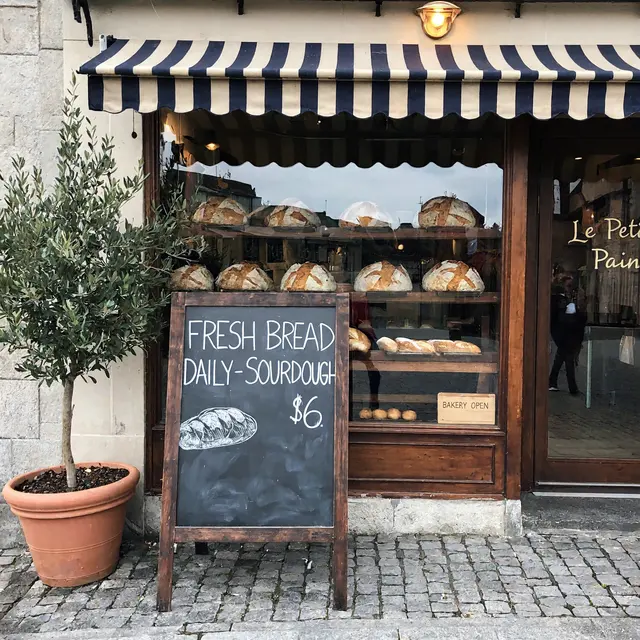
MiniMax H3 ImageImgPilot 上 5 积分 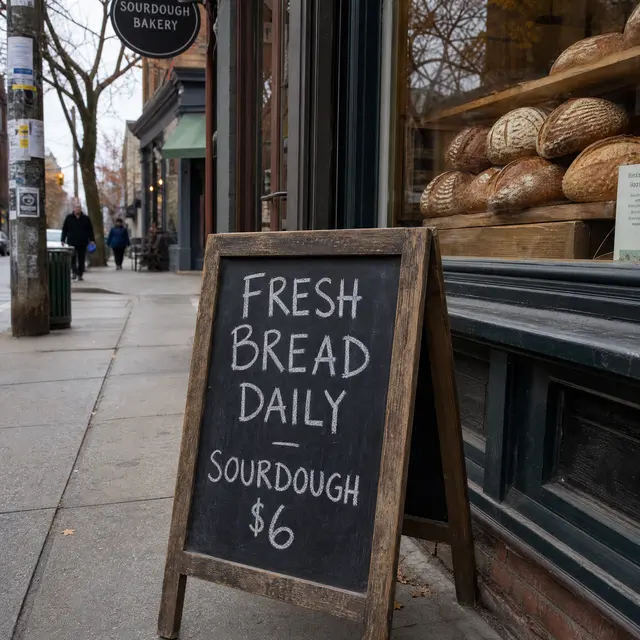
GPT Image 2ImgPilot 上 10 积分 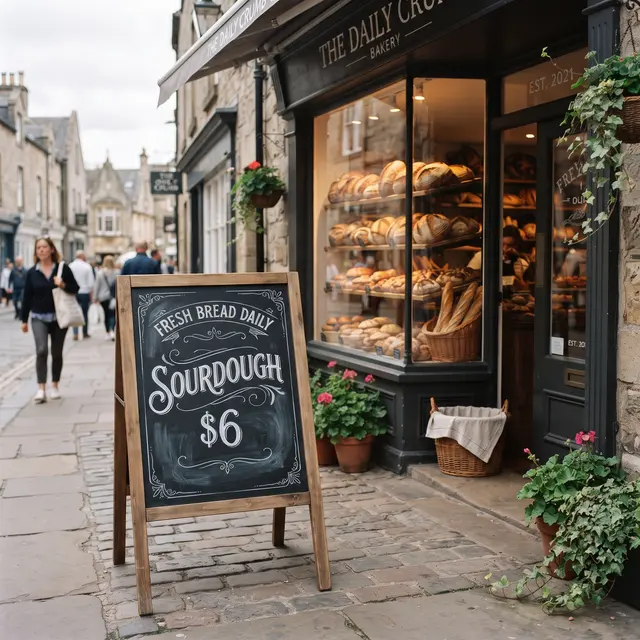
Nano Banana 2ImgPilot 上 10 积分
三个模型都把黑板上的文字拼对了。MiniMax H3 Image 和 Nano Banana 2 都多加了一个提示词没要求的店名,Nano Banana 2 还用了花体装饰字;GPT Image 2 的手写招牌最朴素。
MiniMax H3 Image 出图要多久?
在 ImgPilot 2026-11-15 的 2K 实测中,MiniMax H3 Image 每张图处理用时 8 到 14 秒,改图一次 19 秒;同样的提示词 GPT Image 2 约 50 秒,Nano Banana 2 为 30 到 80 秒。服务商排队时间会另外增加总等待。
在 ImgPilot 上使用 MiniMax H3 Image 的步骤
打开 MiniMax H3 Image 编辑器
本页顶部的模型选择器已经选好了 MiniMax H3 Image。
写提示词或添加照片
输入想要的画面。要改图就上传最多 16 张 PNG、JPG 或 WEBP 图片,单张不超过 10 MB,再描述要改的地方。
选择比例和尺寸
免费版和基础版生成 1K,Pro 解锁 2K,Ultra 解锁 4K。
发送并下载
发送前会显示所需积分。生成好的图片保存在历史记录里,可以下载,也可以继续编辑。
什么时候适合用 MiniMax H3 Image?
做摄影风格的图片,MiniMax H3 Image 是很好的默认选择。有些需求换个模型或换个 ImgPilot 工具效果更好。
- 适合
- 写实人像、街头与纪实场景、电影剧照、产品图,以及带短标题或日期的海报。MiniMax H3 Image 积分低,适合多出几版挑选。
- 不太适合
- 大段小字、精确的品牌 logo 和精细的信息图。MiniMax H3 Image 照片里背景上的小字可能会乱码。
- 透明背景
- MiniMax H3 Image 会把参考图的透明背景填成白色。需要透明抠图请用 ImgPilot 的背景移除工具。
- 建议换工具
- 要替换现有图片里的文字,用 ImgPilot 的图片文字编辑;要让静态图动起来,用 ImgPilot 的 AI 视频生成。
MiniMax H3 Image 常见问题
MiniMax H3 Image 免费吗?
MiniMax H3 Image 在 Hugging Face 公开了权重,有合适显卡的话在 ComfyUI 本地运行 MiniMax H3 Image 是免费的。在 ImgPilot 上,每次 MiniMax H3 Image 生成都消耗积分,新注册账号会送新手积分,发送前会显示具体积分。
MiniMax H3 Image 和 PH3 Image 是一回事吗?
不是。PH3 Image 是社区基于 MiniMax H3 另做的模型,做得更小,方便在家用显卡上跑。ImgPilot 运行的是 MiniMax 官方的 H3 Image 模型。
MiniMax H3 Image 能编辑我自己的照片吗?
可以。MiniMax H3 Image 按文字指令改图,一次最多接收 16 张参考图。在 ImgPilot 上传照片,写清要改什么、哪些保持不变即可。
MiniMax H3 Image 支持多大分辨率?
MiniMax H3 Image 支持 1K(约 100 万像素)、2K(约 400 万像素)和 4K(约 1600 万像素)。在 ImgPilot 上,免费版和基础版用 1K,Pro 可用 2K,Ultra 可用 4K。
MiniMax H3 Image 能做视频吗?
不能。MiniMax H3 Image 只输出静态图片,MiniMax H3 系列另有视频模型。想在 ImgPilot 把图片变成视频,请用 AI 视频生成。
用 MiniMax H3 Image 一定要装 ComfyUI 吗?
不用。只有在自己电脑上跑 MiniMax H3 Image 才需要 ComfyUI。在 ImgPilot 上,MiniMax H3 Image 直接在浏览器里运行,无需安装。
用 ImgPilot 继续创作和编辑
MiniMax H3 Image 可以和 ImgPilot 的其他图片、视频工具配合使用。