Add Text to GIF
Put a caption on any animated GIF in your browser. Choose the words, color and position, then download it with every frame intact.
Drop your GIF here
or choose a file to add your text
No account or credits needed. Your GIF stays on this device while you add text.
No GIF ready? Try an example
Opens in the editor with a caption ready to change.
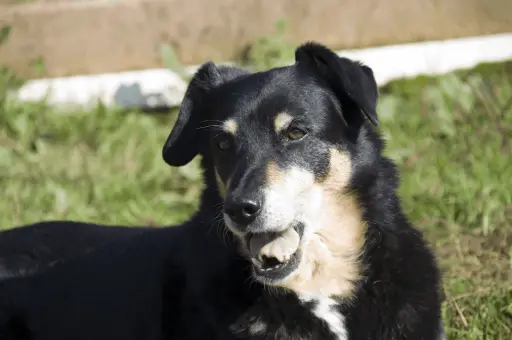 NOT TODAY!reaction.gifSaved, no watermark
Add Text to GIF Online
To add text to GIF animations online, upload your file and type in the editor. ImgPilot draws your caption onto every frame, so the words stay in place while the animation plays. There is nothing to install, and your GIF stays on your device because editing and export both happen in your browser. Keep the original background, use up to eight text and sticker layers, then download a GIF, animated WebP or APNG.
How to Add Text to a GIF
Four steps, and no account at any point. Most captions take under a minute.
Upload your GIF
Drop an animated GIF up to 20 MB into the box above, or start with the example. The editor opens with a caption ready to change.
Type your text
Replace the placeholder in the Text panel. Add another text layer if you want one line at the top and one at the bottom.
Style and place it
Pick a color and drag the caption into position. Pull a corner to change its size, or use the top handle to rotate it.
Export the animation
Press play to check the caption against the whole loop, then choose GIF, animated WebP or APNG and download.
A GIF Maker With Text for Memes, Captions and Reactions
Start from a GIF you already have and make it say something. These three layouts cover most of what people make, all drawn by the same renderer the editor uses.
Meme captions
Two text layers, one at the top and one at the bottom, in white with a dark outline so they read over any frame.
Subtitles
One small line across the lower third. It explains the moment and leaves the action uncovered.
Reactions
A big, tilted word in a bright color. Rotate the layer a few degrees and let the GIF do the rest.
ImgPilot edits GIFs you already have. It doesn't turn videos or photos into GIFs, and it doesn't animate the text itself: your caption stays on screen for the whole loop.
Add Text to GIF Free: What Costs Nothing
Everything you need to caption a GIF runs in your browser, so it costs no credits. The one paid step is optional, and its cost is on the button before you click.
| What you do | Cost | Account |
|---|---|---|
| Add, edit and style text | Free | Not needed |
| Add stickers | Free | Not needed |
| Resize the canvas | Free | Not needed |
| Export GIF, WebP or APNG, with no watermark | Free | Not needed |
| Remove the GIF's background (optional) | Uses credits | Required |
Want Text on a Transparent GIF?
Text added here sits on top of your GIF's original scene. To caption a moving subject on its own, first use the GIF background remover, then add text, stickers and a new background to the cutout in the same editor.
Background removal needs an account and uses credits. New accounts get free starter credits.
Open the GIF background remover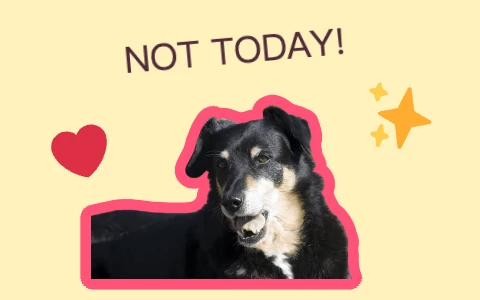
Add Text to GIF FAQ
How do I add text to a GIF online?
Upload your GIF on this page and the editor opens with a caption already on it. Replace the words, set the color and size, drag the caption into place, then export. You don't need to install anything or create an account.
Can I add text to a GIF for free?
Yes, you can add text to GIF free. Adding text and stickers, resizing and exporting use no credits. Your download has no watermark. Credits are only used if you choose to remove the GIF's background, and the button shows the cost first.
Is this a GIF maker with text?
It's a GIF maker with text for animations you already have: upload a GIF, add your words and download a new one. It doesn't create a GIF from a video or a set of photos.
Will my GIF keep its background and animation?
Yes. Your GIF keeps its original background, frames and timing. The text is added on top of every frame. Files with a long side above 1024 pixels are scaled down to 1024 when you export.
Is my GIF uploaded anywhere?
Not while you add text. The file is opened in your browser and the export is created on your device. It's only uploaded if you choose to remove the background, because that step runs on our servers.
Can I change the font, color and size?
You can change the color, size, position and rotation of every text layer. New captions on this page start in white with a dark outline. The editor uses one clean sans-serif font, so there's no font picker yet.
Can text appear on only some frames, or animate?
Not at the moment. Each caption stays in the same place on every frame for the whole loop. You can use up to eight text and sticker layers in total.
What files and formats are supported?
Upload an animated GIF up to 20 MB, 300 frames and 2048 pixels per side. Export as GIF for the widest support, or as animated WebP or APNG for smoother color. File size depends on the frames and format, and you can set a target size when you export.
Your GIF has something to say.
Upload it, type the caption and download it. It's free.
Add text to your GIFExample source and license
“Yawn” © SecretDisc · CC BY-SA 3.0. The examples on this page are edited, resized derivatives under the same license.