YOUR PHOTOS. A LITTLE CLOSER.

AI Kissing Video Generator

Turn a couple photo or two separate portraits into a romantic kissing video.
Choose your kiss, bring your photos to life, and keep a moment made for two.

  1. 01Photos
  2. 02Checkout
  3. 03Your video

Your photos

Your photos
Drop your couple photoor choose a photoTwo adults · Clear faces, close together

Two adults in one photo. Clear faces, close together.
JPG, PNG or WebP · Up to 10 MB each

We’ll aim to keep the background visible in your couple photo, including after cropping. AI may change some details.

Kiss style

Visual style

Video details

6-second MP4 · 480P · No generated audio

$1.99 per video · No subscription

Any applicable tax is shown at checkout.

Generation failure? We refund that video. Refund terms

Photos in. A kiss unfolds.

AI KISSING VIDEO EXAMPLES
TAKE 01 · Gentle kissAI-generated

A soft kiss on the lips.

One photo together

01 / From one photo together

From still photos to a shared moment.

THE MOMENT

Watch real results from a couple photo and two separate portraits. These examples use Seedance 2 Fast; results vary with your photos and selected model.

My creations

FROM PHOTO TO AI KISS

Bring your couple photo to life.
One little moment at a time.

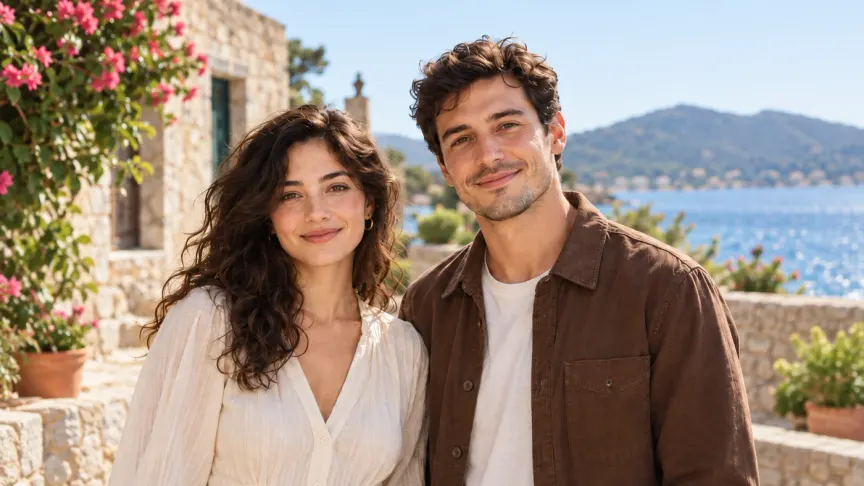
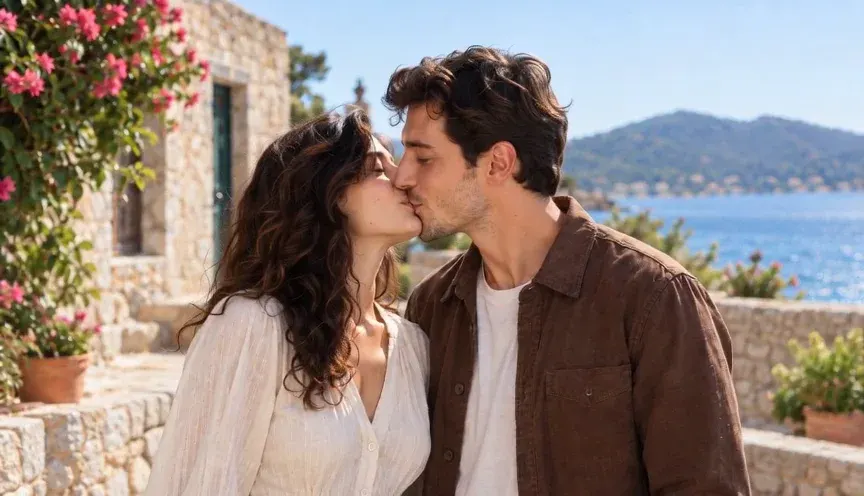
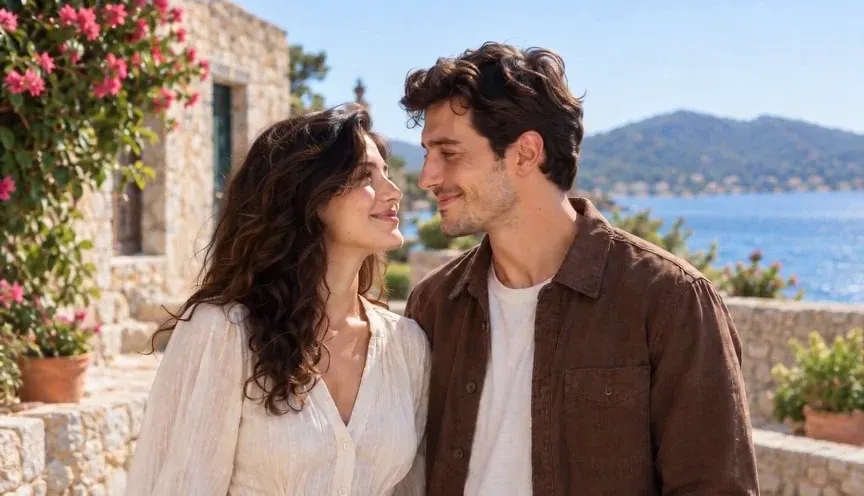
An AI kissing video is more than the kiss itself: a glance, a gentle lean, a smile afterwards. Follow one real example from the starting photo to the final moment.

The glance
01The glance00:00
The kiss
02The kiss00:03
The smile
03The smile00:05

TWO PEOPLE. YOUR KIND OF KISS.

Make an AI kissing video that feels personal.

Start with the photos you have, then choose the moment you want to create. No timeline editing or prompt writing needed.

01

Turn a couple photo into a kissing video

Give a favorite photo a romantic new scene. Upload a picture with both of you clearly visible, and use it as the starting point for your AI kiss. A shared photo gives the model the setting and the distance between you, making it a useful choice for a wedding memory or anniversary message.

02

Make two people kiss from separate photos

No photo together? Upload one portrait of each person to create a scene for two. Try it for a long-distance message or a playful couple edit. Similar lighting and face angles help the photos fit together; the AI may change facial details and rebuild the background.

03

Choose a gentle, cheek or forehead kiss

A romantic kiss, a playful kiss on the cheek, or a tender forehead kiss: choose the gesture that suits your story. Add warm film color for a nostalgic feel, or keep a natural look. Each selection guides a new generation, so the exact movement can vary.

04

Create a kissing clip to save and share

Make a portrait video for a Story or Reel, or a landscape clip for a personal message. Download your finished MP4 and share it with your partner, add it to an anniversary montage, or keep it as a little memory. Use photos of consenting adults and tell viewers when a scene is AI-generated.

How to make an AI kissing video from photos

  1. 01

    Upload your photo or portraits

    Choose one couple photo or two separate photos. Use clear, unobstructed adult faces and images you have permission to use. Photos taken from similar angles work best for the two-portrait option.

  2. 02

    Choose your kissing style

    Select a gentle, cheek or forehead kiss, choose a warm or natural look, and pick your video shape. Choose an AI model and review its price before paying for this generation.

  3. 03

    Generate, download and share

    After checkout, your AI kissing video starts generating. Check its progress in My creations, then download the finished MP4. You can leave the page and return to your video later.

ONE MOMENT AT A TIME

Your kissing video.
One simple payment.

From$1.99/ video

Pay for one generation with your chosen model. Both photo modes included. No credit bundle. No subscription.

  • Seedance 2 FastFrom $1.99
  • Seedance 2From $2.99
  • Seedance 2.5From $3.99

Price varies by model and quality · Downloadable MP4

Create your moment

Any applicable tax is shown at checkout.

AI results vary. Facial likeness and motion can change, especially when combining separate photos. Review the examples before you pay.

AI kissing video generator: your questions

How does the AI kissing video generator work?

Upload a couple photo or two portraits, choose a kissing style and an AI model, then pay for one generation. The AI animates the people in your photos into a kissing scene. Your finished MP4 appears in My creations, ready to download.

Can I make two people kiss from separate photos?

Yes. Choose Two portraits and upload one consenting adult in each photo. The model places them together in a new scene. Similar head angles, framing and lighting help; faces and backgrounds may change.

Should I use a couple photo or two portraits?

A couple photo gives the model a shared starting scene and the original distance between people. Two portraits are useful when you do not have a photo together, but require more scene reconstruction. Watch both examples above to see the difference.

Can I choose the kind of kiss?

Yes. Choose a gentle kiss, a kiss on the cheek or a forehead kiss. You can also choose warm film color or a natural look, plus portrait or landscape framing. These settings guide the AI; they do not guarantee an exact pose or expression.

Is this AI kissing video generator free?

The examples are free to watch. At 480P, a video costs $1.99 with Seedance 2 Fast, $2.99 with Seedance 2 or $3.99 with Seedance 2.5. Higher resolutions cost more; the exact price appears before checkout, plus any applicable tax. No subscription or credit bundle is required. Each new generation is a separate purchase.

Can I use it for an anniversary or a long-distance message?

Yes. Animate a favorite couple photo for an anniversary, or combine two portraits for a message to a partner far away. Download the video and share it yourself. Both people must be adults who have agreed to the video; make clear that the scene was created with AI.

What if generation fails or I do not like the result?

Failed generations and timed-out jobs enter the automatic refund process. A successfully delivered video is not automatically refundable for differences in likeness or artistic preference. See the video refund terms before purchasing.

What photos work best for an AI kissing video?

Use clear photos of adults who have agreed to the video and whose images you have permission to use. Upload JPG, PNG or WebP files up to 10 MB each. Avoid covered faces, strong profile views and very different lighting. In a couple photo, keep both people close enough to interact.

Are my photos shown in the examples?

No. The examples on this page use fictional AI-generated adults. Your uploads are sent to our processing providers to create your video and are not automatically added to this showcase. See our Privacy Policy for data handling details.

AI Video Generator

Explore more video models and creative tools.

Zombie Couple Video

Turn two portraits into a cinematic zombie scene.

AI Image Enhancer

Try improving a soft photo before creating your video.