Step by step
Choose one photo together or two portraits
A couple photo is the more reliable choice: the AI keeps your real background and the distance between you. Two portraits work when you have no photo together, but the AI has to build a new shared scene, so faces and backgrounds change more.
From one couple photoKeeps the original scene From two separate portraitsThe AI builds a new scene Pick photos the AI can read
Use sharp, well-lit faces looking toward the camera, with the forehead and chin visible. Avoid tiny faces in full-body shots, heavy shadows, sunglasses or hands over the face, and extra people. For two portraits, choose photos with a similar head angle and similar light.
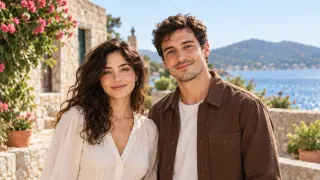
Both faces clear 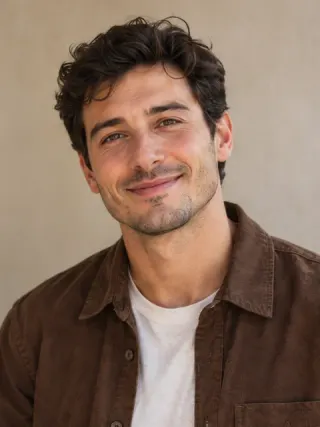
Only one personUse Two portraits instead Face too blurryBlur simulated Crop to faces and shoulders
After you add a photo, drag the frame so both faces and shoulders fill most of it. Trim empty background, but never cut off a forehead or chin. A tighter crop gives the AI more facial detail to work with.
Choose the kiss and the look
Gentle is a soft kiss on the lips, cheek is a playful kiss on the cheek, and forehead is a tender kiss on the forehead. Warm film adds soft, nostalgic color; Natural keeps true-to-life light. Pick Portrait (9:16) for Stories and Reels, or Landscape (16:9) for a message or montage.
Cheek kiss Forehead kiss Pick a model and quality, then pay once
Seedance 2 Fast at 480p is the cheapest way to test your photos; the couple and portrait examples above were made with it. Move up to a higher resolution or another model once you know your photos work. You pay for one video at a time; any tax is shown at checkout.
Model 480p 720p 1080p 4k Seedance 2 FastFastest, lowest price $1.99 $2.99 – – Seedance 2The only option for 4K $2.99 $4.99 $8.99 $14.99 Seedance 2.5Latest model, quality first $3.99 $5.99 $11.99 – Download and share it honestly
After checkout you land on the generator page, where the video's progress is shown. You can close the tab and come back later. Download the MP4 when it's ready, and tell viewers the scene was made with AI.
If the result isn't right
- The faces don't look like you. Use sharper, more front-facing photos and crop tighter. Two portraits lose more likeness than one photo together, so switch to a couple photo if you have one.
- The two portraits don't fit together. Swap one photo for a shot with a similar head angle and light. A better photo pair beats another try with the same pair.
- The photo was rejected. Uploads are screened for content that can't be used. Choose a different photo of the same consenting adults with both faces clearly visible.
- Generation failed. Failed and timed-out videos are refunded automatically. A video that was delivered isn't refunded for likeness or taste, so test with 480p first.
Questions
Can I make an AI kissing video for free?
You can watch every example for free, but each generation is paid, starting at $1.99 for a 6-second 480p video. There's no subscription, and failed generations are refunded.
How do I make two pictures kiss with AI?
Choose Two portraits, upload one photo of each person, then pick a kiss style. Photos with a similar head angle and similar lighting blend together most convincingly.
Can I describe a French kiss or a custom pose?
No. You choose from a gentle kiss, a cheek kiss and a forehead kiss. With two portraits you can describe the background setting, but not the pose.
How long is the video, and does it have sound?
Each video is a 6-second MP4 in portrait (9:16) or landscape (16:9). It has no generated audio, so add music in your editing app if you want it.
Can I use photos of a celebrity or someone else?
Only use photos of adults who have agreed to the video and that you have permission to use. Don't make kissing videos of people without their consent.


























