MiniMax H3 Image Online
Generate and edit images with MiniMax H3 Image in your browser. No ComfyUI setup, no GPU. Type a prompt, or add a photo and say what to change.
Try MiniMax H3 Image
Start with a prompt below or upload a photo to edit. The credit cost is shown before you send.
What is MiniMax H3 Image?
MiniMax H3 Image is the image model in MiniMax's H3 family. One MiniMax H3 Image model handles both text-to-image generation and image editing with up to 16 reference images.
In ImgPilot's tests, MiniMax H3 Image did best at photographic looks: editorial portraits, documentary and street photography, film stills and product shots. MiniMax H3 Image also renders short text such as titles, signs and labels.
MiniMax H3 Image outputs three size tiers: 1K (about 1 megapixel), 2K (about 4 megapixels) and 4K (about 16 megapixels, for example 4096 × 4096). MiniMax published open weights on Hugging Face, so the model can also run locally in ComfyUI on a capable GPU.
On ImgPilot, MiniMax H3 Image runs in the browser through the same chat editor as GPT Image 2 and Nano Banana. You can switch models in the model picker and compare results on one prompt.
Run MiniMax H3 Image online or locally in ComfyUI?
Use MiniMax H3 Image online in ImgPilot to try it right away: nothing to download, no GPU, and the editor runs in any browser. Run MiniMax H3 Image locally in ComfyUI if you want unlimited free runs, LoRAs or offline use, and you have a strong NVIDIA GPU and plenty of disk space.
| Online in ImgPilot | Locally in ComfyUI | |
|---|---|---|
| Setup | Open this page and type a prompt. | Install ComfyUI, then download the image model, the text encoder and the VAE. |
| Hardware | Any browser, including a phone. | MiniMax publishes the full-precision weights only. Community quantized versions target GPUs with about 8 to 24 GB of memory. |
| Download size | None. | About 135 GB for MiniMax's full-precision files: a 68.65 GB image model plus a 66.7 GB text encoder. Community quantized files range from about 7 GB to 21 GB. |
| Model | MiniMax's own H3 Image model at 1K, 2K or 4K. | The official model or a community quantized version, which can change image quality. |
| Cost | Credits per image, shown before you send. New accounts get starter credits. | Free to run after setup; you pay for the hardware and electricity. |
| Control | Aspect ratio, size and up to 16 reference images. | Full workflow control, including LoRAs, batches and custom nodes. |
Model sizes come from MiniMax's MiniMax-H3-Image page on Hugging Face (33.1 billion parameters, distilled to 6 sampling steps). MiniMax does not publish a minimum GPU memory figure; the 8 to 24 GB range comes from community quantized releases.
MiniMax H3 Image examples with the exact prompts
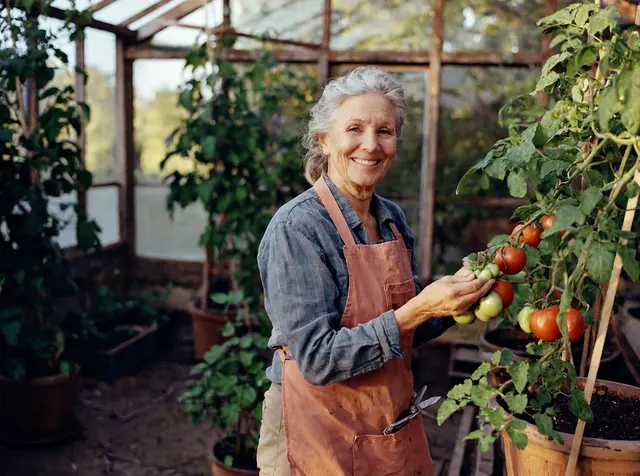
Each MiniMax H3 Image example below is an unretouched 2K output. The prompt under each image is the full prompt that was sent.
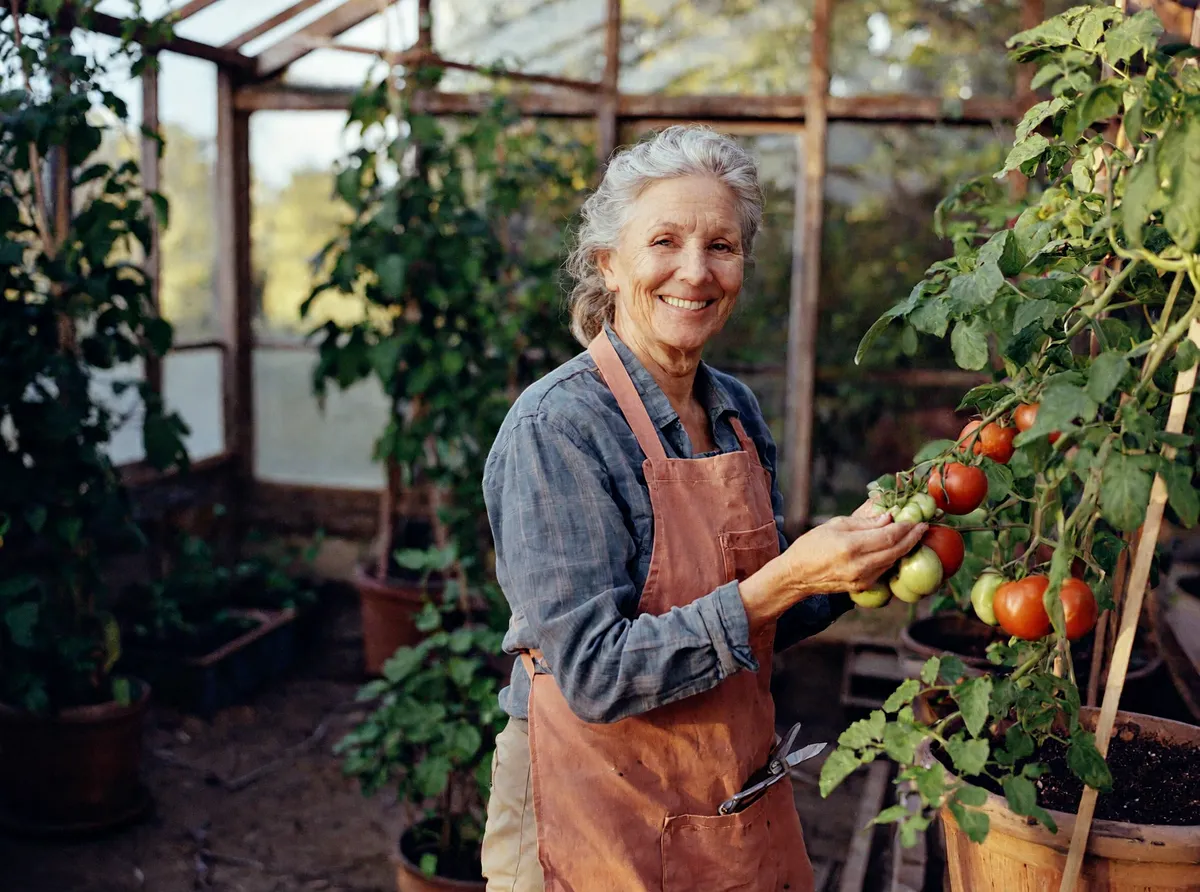
PromptEditorial portrait of a smiling woman in her sixties tending tomato plants in a backyard greenhouse, soft morning light through the glass, 35mm film photo
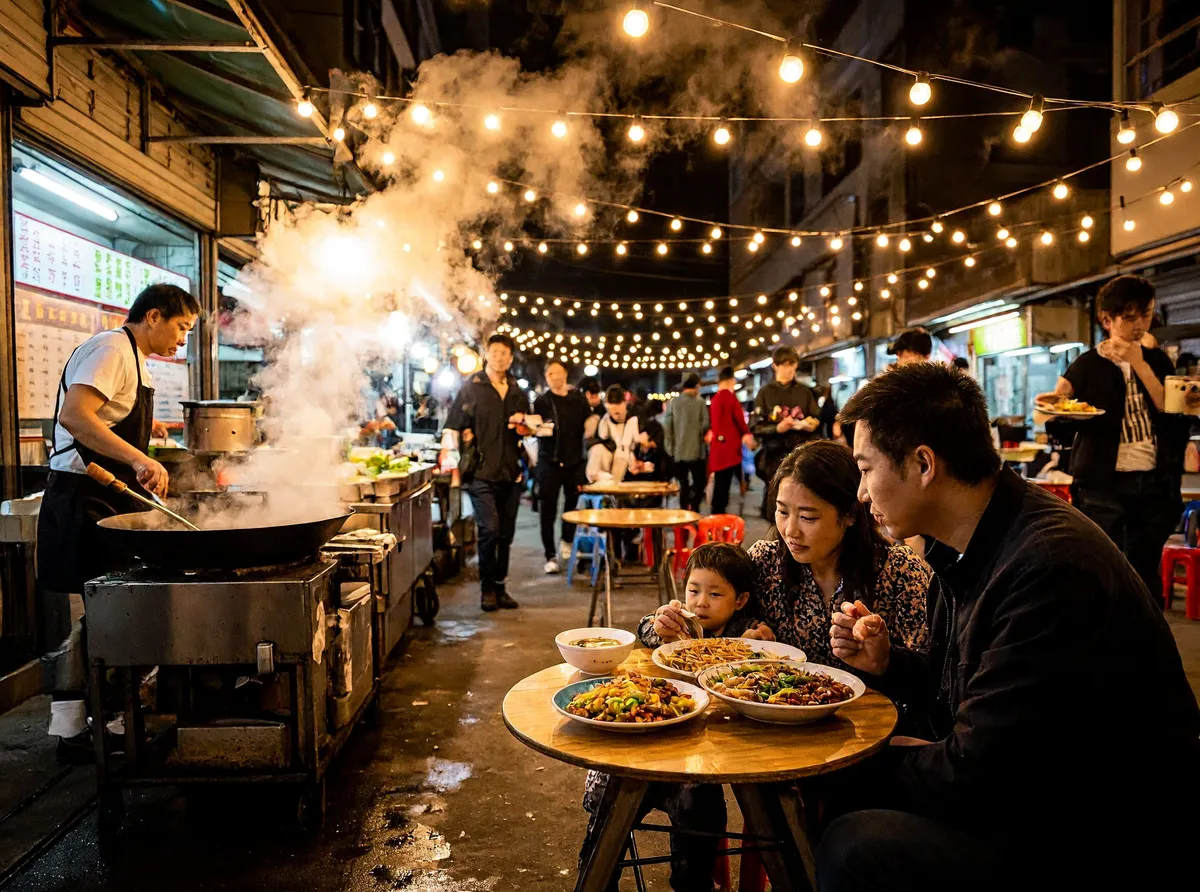
PromptDocumentary street photo of a busy night market, steam rising from food stalls, families sharing dinner at small tables, warm string lights, shot on a 28mm lens

PromptProduct photo of a white ceramic coffee mug printed with the words "GOOD MORNING" in black serif letters, on a light oak desk next to an open notebook, natural window light
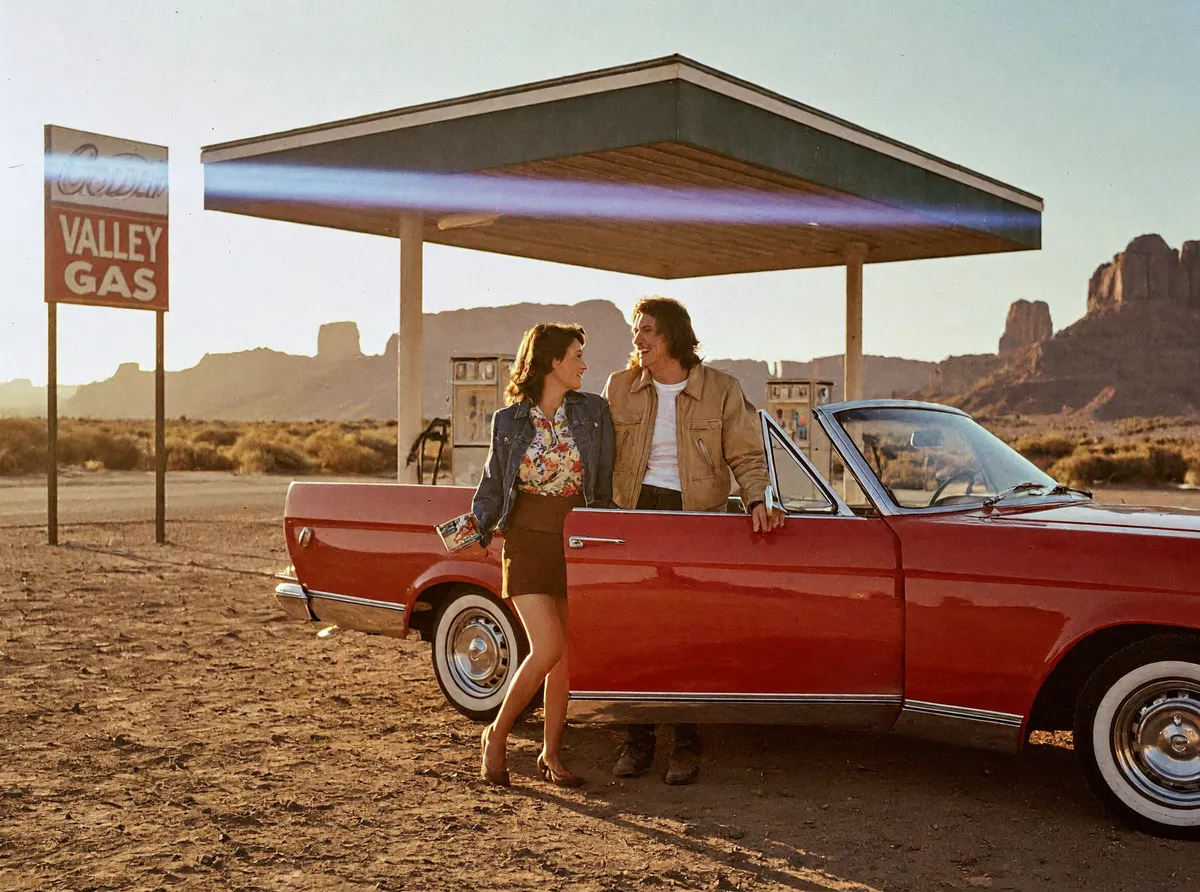
PromptFilm still from a 1970s road movie: a red convertible parked at a desert gas station at golden hour, a couple laughing beside it, anamorphic lens flare, Kodak film grain

PromptMinimal poster for a summer jazz festival with the title "JAZZ IN THE PARK" and the date "JULY 12", flat illustration of a saxophone player under a tree, cream background, two-color print
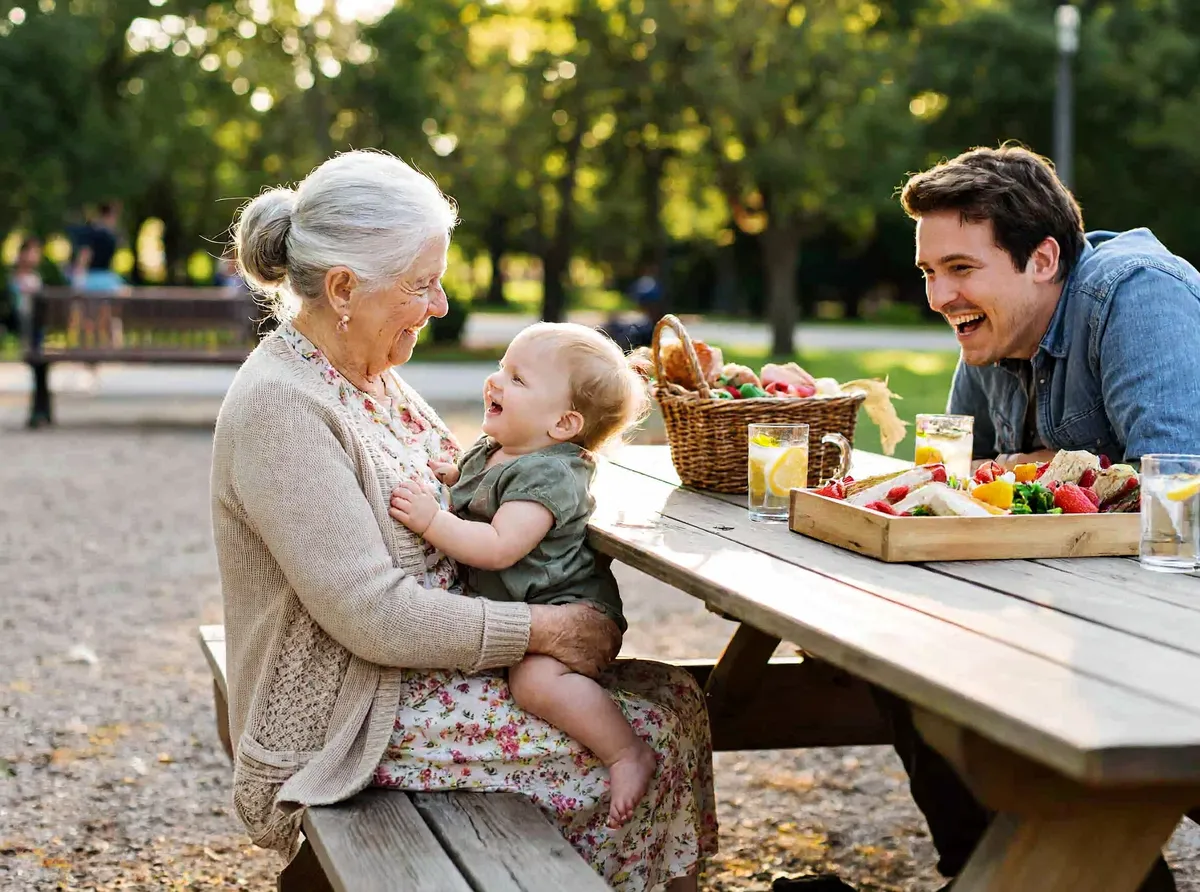
PromptCandid photo of three generations of a family laughing together at a picnic table in a sunny park, grandmother holding a toddler, natural colors, shallow depth of field
How does MiniMax H3 Image edit a photo?
MiniMax H3 Image edits by following a written instruction about one or more reference images. In this MiniMax H3 Image edit, the mug photo was the only reference. The scene changed to a seaside café terrace, while the mug shape and the GOOD MORNING lettering stayed the same.

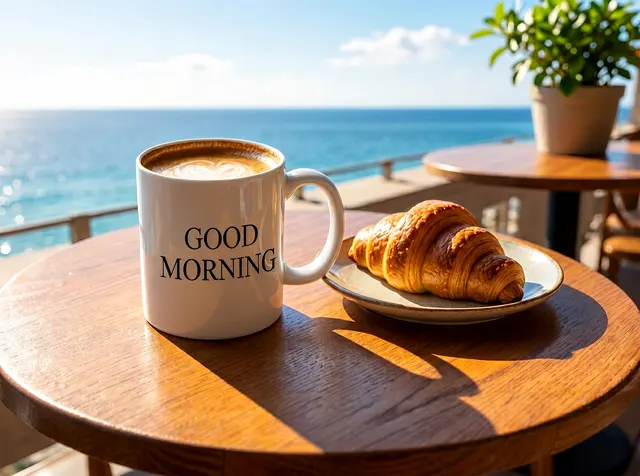
PromptPlace the coffee mug from <Picture 1> on a small round table on a sunny café terrace by the sea, with a croissant on a plate beside it. Keep the mug shape and the GOOD MORNING lettering exactly the same.
How to write prompts for MiniMax H3 Image
MiniMax H3 Image rewrites short prompts into a detailed description before generating, so a plain sentence already works. These habits make MiniMax H3 Image results more predictable.
- Describe it like a photographer
- Name the subject, the place, the light and the lens or film: 'editorial portrait, soft morning light, 35mm film photo'. MiniMax H3 Image responds well to photography terms.
- Put exact text in quotes
- Write the words you want in quotation marks, such as "JAZZ IN THE PARK". Short titles, dates and prices render most reliably in MiniMax H3 Image.
- Say what must stay the same when editing
- End an edit prompt with what to keep: 'Keep the mug shape and the lettering exactly the same.' MiniMax H3 Image then changes the scene around the subject.
- Name each reference image
- In ImgPilot, refer to added photos as Image 1, Image 2 in the order they appear above the prompt box. MiniMax's own API calls the same images <Picture 1>, <Picture 2>.
- Choose the shape in settings
- Pick an aspect ratio such as 4:3, 16:9 or 9:16 in the settings. With Auto, MiniMax H3 Image chooses a ratio for a new image and keeps the first reference image's ratio for an edit.
- Write in English or Chinese
- MiniMax H3 Image accepts prompts in English and Chinese, up to 5,000 characters.
MiniMax H3 Image vs GPT Image 2 vs Nano Banana 2
The same prompt was sent once to MiniMax H3 Image, GPT Image 2 and Nano Banana 2 at 1:1 and 2K. Nothing was retouched or re-rolled.
PromptClose-up portrait of a smiling young barista with freckles in a small coffee shop, morning light from the window, shot on 85mm, natural skin texture

MiniMax H3 Image5 credits on ImgPilot 
GPT Image 210 credits on ImgPilot 
Nano Banana 210 credits on ImgPilot
All three models produced a believable photo with natural freckles. MiniMax H3 Image added the most styling: a green apron with an invented café logo and a latte in hand. GPT Image 2 gave the plainest close-up. Nano Banana 2 placed the barista in a busy café with customers behind her.
PromptA chalkboard sign outside a bakery that reads "FRESH BREAD DAILY - SOURDOUGH $6", loaves in the window behind it, street photo, overcast daylight
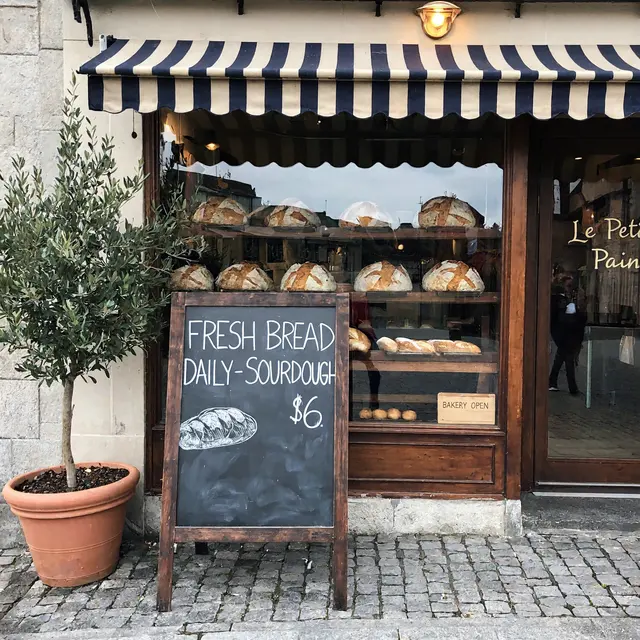
MiniMax H3 Image5 credits on ImgPilot 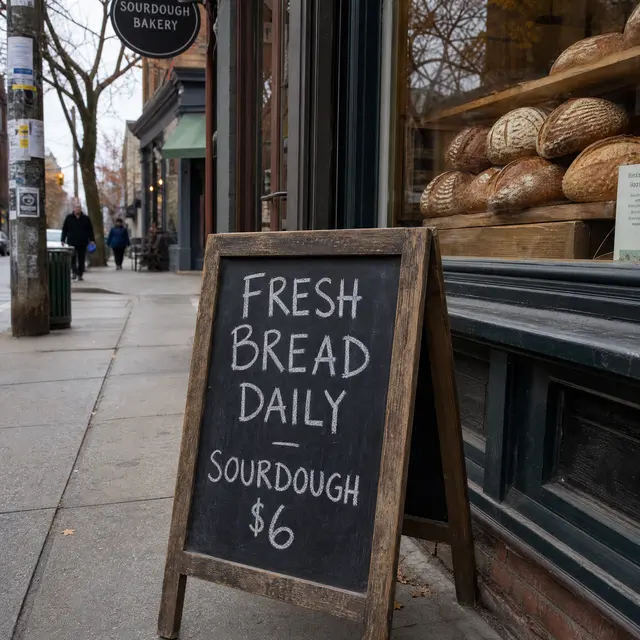
GPT Image 210 credits on ImgPilot 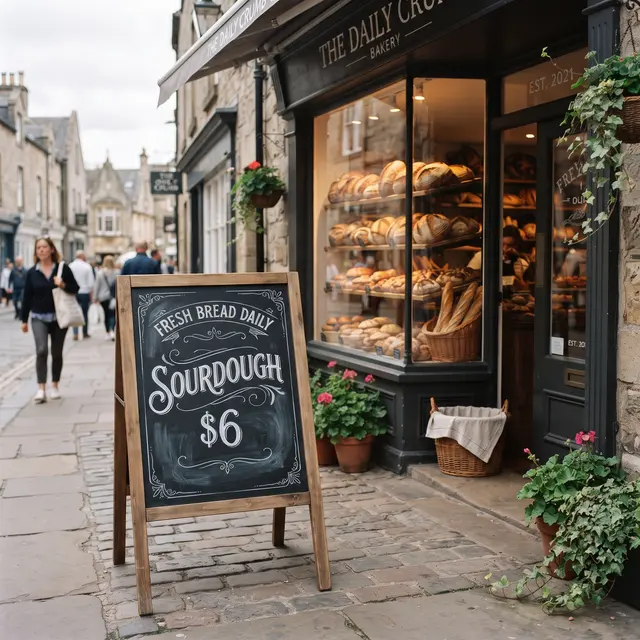
Nano Banana 210 credits on ImgPilot
All three models spelled the chalkboard text correctly. MiniMax H3 Image and Nano Banana 2 both added a shop name that the prompt did not ask for, and Nano Banana 2 used decorative lettering. GPT Image 2 kept the plainest hand-written sign.
How fast is MiniMax H3 Image?
In ImgPilot's 2K test runs on 2026-11-15, MiniMax H3 Image needed 8 to 14 seconds of processing per image, and 19 seconds for the photo edit. GPT Image 2 needed about 50 seconds and Nano Banana 2 30 to 80 seconds for the same prompts. Queue time at the provider adds to the total wait.
How to use MiniMax H3 Image on ImgPilot
Open the MiniMax H3 Image editor
MiniMax H3 Image is already selected in the model picker at the top of this page.
Write a prompt or add photos
Type what you want to see. To edit, upload up to 16 PNG, JPG or WEBP images of up to 10 MB each, then describe the change.
Pick the aspect ratio and size
Free and Basic plans generate at 1K. Pro unlocks 2K and Ultra unlocks 4K.
Send and download
The credit cost appears before you send. The finished image is saved to your history, where you can download it or keep editing.
When is MiniMax H3 Image the right choice?
MiniMax H3 Image is a strong default for photographic images. For some jobs, another model or another ImgPilot tool works better.
- Works well
- Photoreal portraits, street and documentary scenes, film stills, product photos, and posters with a short title or date. MiniMax H3 Image is also low in credits, which suits trying many variations.
- Works less well
- Long paragraphs of small text, exact brand logos and precise infographics. Small background text in MiniMax H3 Image photos can come out garbled.
- Transparent images
- MiniMax H3 Image fills transparent backgrounds in reference images with white. For a cutout with transparency, use ImgPilot's Background Remover.
- Use another tool instead
- To replace words in an existing image, use ImgPilot's Edit Text in Image tool. To animate a still image, use ImgPilot's AI Video generator.
MiniMax H3 Image FAQ
Is MiniMax H3 Image free?
MiniMax H3 Image has open weights on Hugging Face, so running MiniMax H3 Image locally in ComfyUI is free if you have a capable GPU. On ImgPilot, each MiniMax H3 Image generation costs credits, and new accounts receive starter credits. The exact cost is shown before you send.
Is MiniMax H3 Image the same as PH3 Image?
No. PH3 Image is a separate community model built on top of MiniMax H3. PH3 Image was made smaller for running on home GPUs. ImgPilot runs MiniMax's own H3 Image model.
Can MiniMax H3 Image edit my own photos?
Yes. MiniMax H3 Image edits from a written instruction and accepts up to 16 reference images in one request. Upload the photos in ImgPilot, describe the change, and say what should stay the same.
What resolution does MiniMax H3 Image support?
MiniMax H3 Image supports 1K (about 1 megapixel), 2K (about 4 megapixels) and 4K (about 16 megapixels). On ImgPilot, Free and Basic plans use 1K, Pro adds 2K and Ultra adds 4K.
Does MiniMax H3 Image make videos?
No. MiniMax H3 Image only outputs still images. The MiniMax H3 family has separate video models. To turn an image into a video on ImgPilot, use the AI Video generator.
Do I need ComfyUI to use MiniMax H3 Image?
No. ComfyUI is only needed to run MiniMax H3 Image on your own computer. On ImgPilot, MiniMax H3 Image runs in the browser with no installation.
More ways to create and edit with ImgPilot
MiniMax H3 Image works alongside ImgPilot's other image and video tools.