Edit Text in Image
Change a date, a price or a name. Everything else stays.
Edit text in your image
Quote the exact old and new text. One change per edit works best.
Drop or paste a JPG, PNG or WebP up to 10 MB.
Need several reference images or side-by-side models? Open the AI image editor
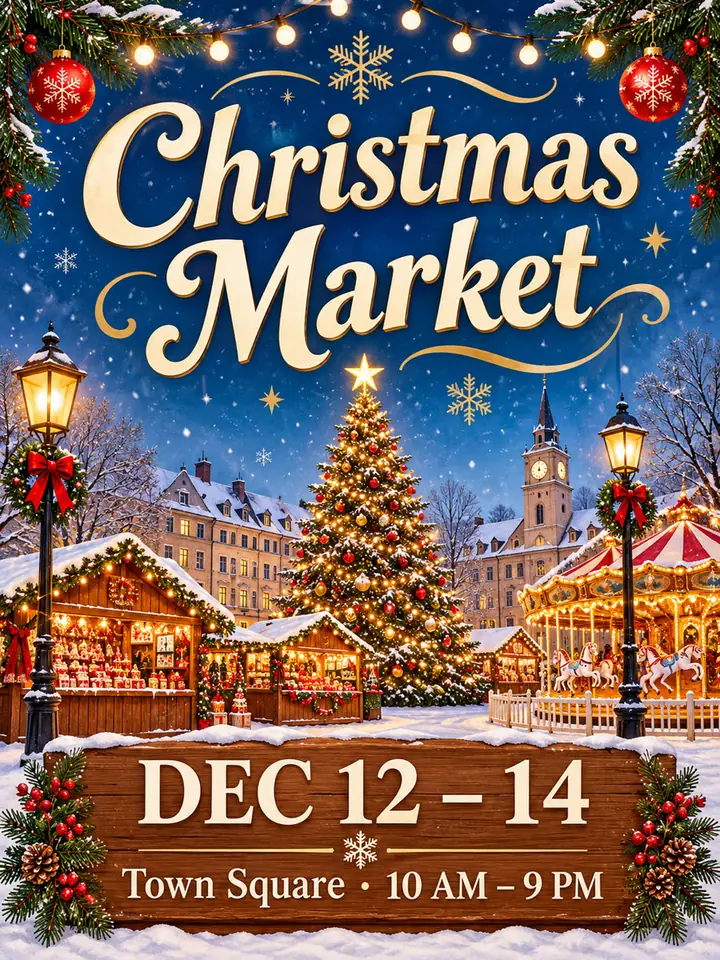
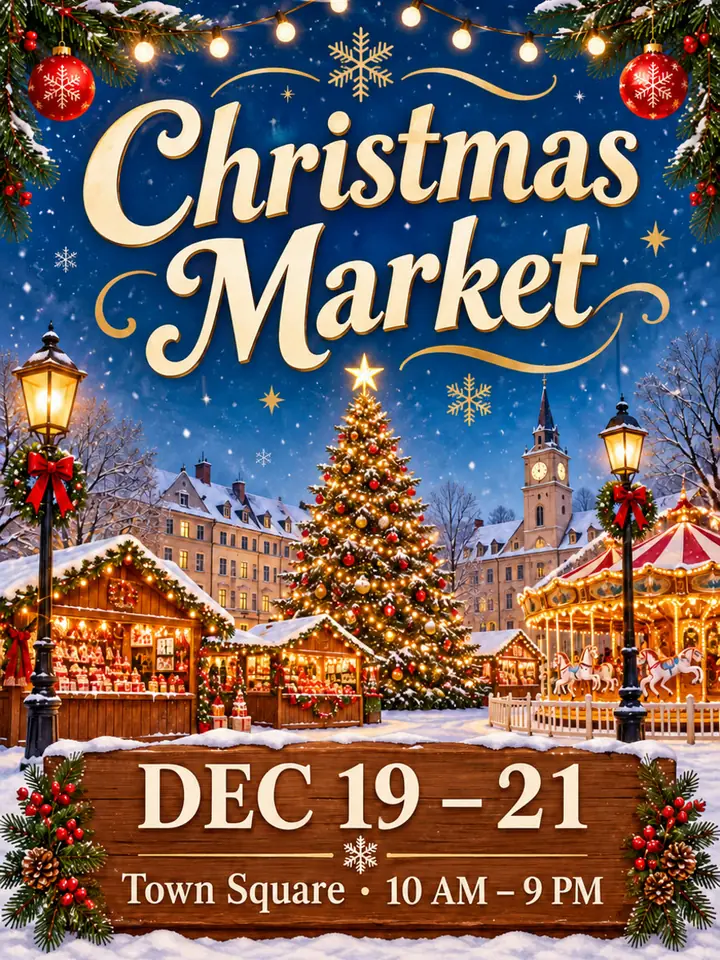
Same poster, new date. Nothing else moves.
Holidays and sales come back every year. Keep the design you already have and change text in the image only where it’s out of date.
What other text can you change in an image?
Before 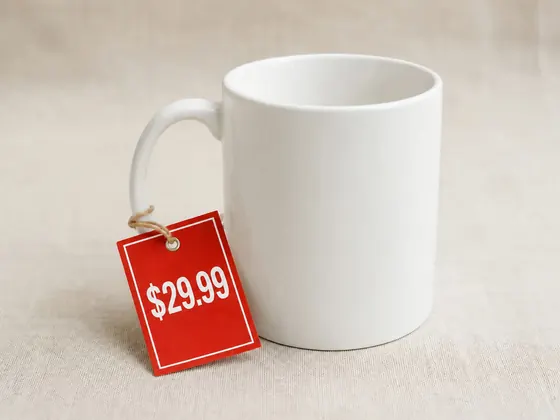
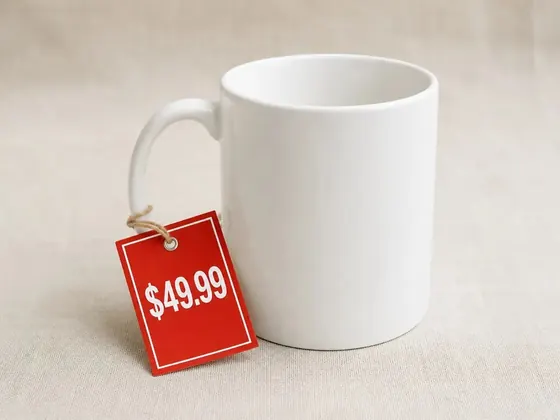
After Update a price
$49.99$29.99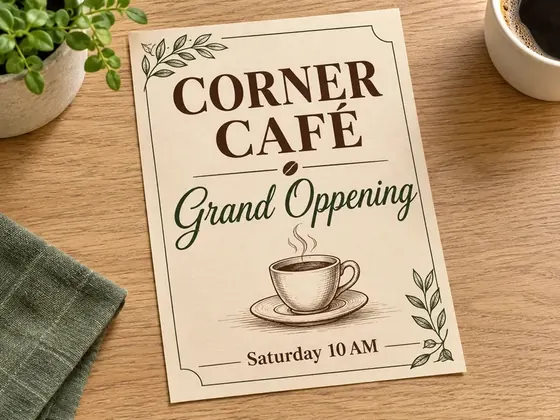
Before 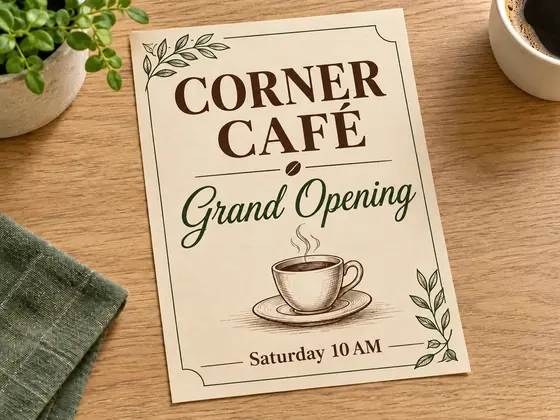
After Fix a typo
Grand OppeningGrand Opening
Before 
After Move an event date
OCTOBER 15, 2025NOVEMBER 20, 2026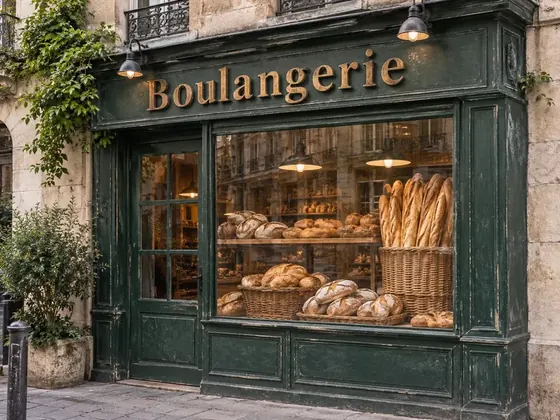
Before 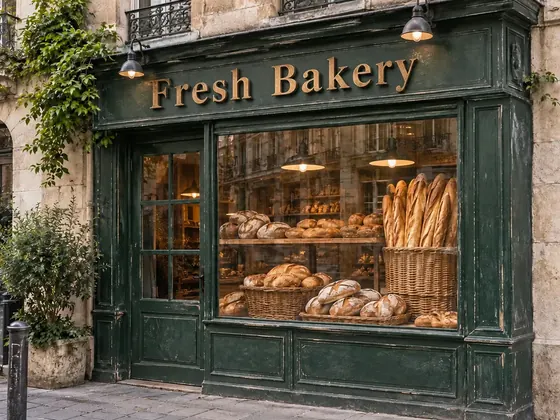
After Rename a shop sign
BoulangerieFresh Bakery
Before 
After Change a sale offer
SUMMER, 50% OFFWINTER, 30% OFFBefore 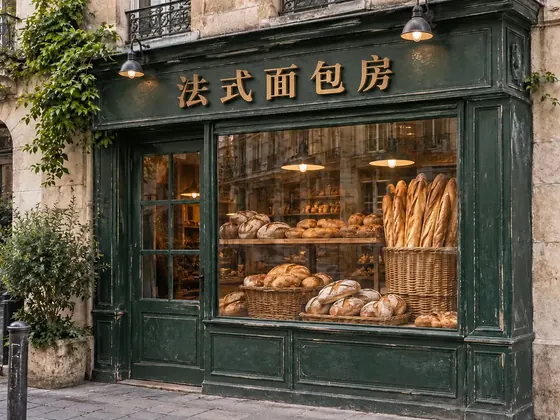
After Translate the text
Boulangerie法式面包房
How do you change text in an image without redoing the design?
Upload the image to ImgPilot’s Edit Text in Image tool, type the words that are there now and the words you want instead. The AI image model redraws only that line to match the lettering, color and size around it, and the rest of the image stays the same.
Text on a poster, flyer or product photo is part of the picture, so you can’t select it the way you select text in a document. Without an AI edit, fixing one word means finding the original design file, matching the font and rebuilding the layout. ImgPilot’s Edit Text in Image tool works on designed posters, screenshots and photos, and it needs no layers and no font name.
Who needs to edit text in an image?
Anyone holding a finished picture with one out-of-date line, and no source file or designer to hand.
- Event organizers
- Reuse last year’s poster or banner. Change the date, the venue or the time without paying for a new design.
- Shop owners
- Update prices, opening hours and sale dates on signs and social posts as soon as they change.
- Online sellers
- Change the price or the offer on a product image without reshooting it or rebuilding the listing artwork.
- Marketing teams
- Fix a typo in approved artwork, or adapt one image for another season, offer or language.
How to edit text in an image
Add your image
Choose, drop or paste a JPG, PNG or WebP up to 10 MB.
Type the old and new text
Copy the words exactly as they appear, then write what they should say. The credit cost shows on the button before you start.
Check it and download
Drag across the result to compare it with your original. Download it, or edit the result again for the next change.
How do you get a clean text edit?
Short text on a clear background comes out best. A few habits make a big difference.
- Copy the wording exactly
- Match capitals and punctuation, so “DEC 12 – 14” rather than “December 12 to 14”. It tells the AI which line you mean.
- Change one thing at a time
- Update the date, check it, then edit that result for the price. Each pass has less to get wrong.
- Keep the length similar
- Text that fits the same space keeps the layout intact. A much longer line has to shrink or move.
- Read it before you print
- Check spelling and small numbers in the result. Very small type and long paragraphs are the hardest to get right.
Edit text in image FAQ
Will the new text match the original font?
Usually it looks very close. The AI image model redraws the new text to match the lettering, color and size around it. The new text is not set in the original font file, so compare the edited image with your original before you publish.
Does anything else in the image change?
Everything else is meant to stay the same, and the examples on this page show how close the result gets. The AI image model regenerates the whole picture, so very fine details can shift slightly. Drag the comparison slider across the image to check.
Can I change text in a photo or a screenshot?
Yes. ImgPilot’s Edit Text in Image tool works on any picture with visible text, including signs, packaging and screenshots. Only edit images you have the right to change.
Which languages can I use?
You can replace text with another language, such as turning a French sign into Chinese. Check the result carefully when the writing system changes.
Is it free?
New accounts receive starter credits, so you can try it after signing in. After that, edits use credits from a credit pack or a subscription. The cost shows before you start, and credits are returned if an edit fails.
How long does an edit take?
Usually one to two minutes. Keep the page open while it runs.
Can I edit text in a PNG or JPG?
Yes. Normal image files have no editable text, which is exactly what this is for. Upload a PNG, JPG or WebP and change text in the image without the original design file.
Can I remove text instead of replacing it?
Yes. Choose “Describe the change in your own words” and ask for it, for example: remove the line that says “Limited time only” and keep everything else the same.
Can I change text on packaging or a product label?
Often, yes. Flat, well-lit labels work best. Text that curves around a bottle or sits at a steep angle is harder, so zoom in and check the result.
What if the result isn’t right?
Choose “Edit this result” and describe what to fix, or try again with shorter text.
When does editing text in an image not work well?
Short titles, dates, prices and labels on a clear background work best. Very small type, long paragraphs, handwriting and text that curves or sits at a steep angle often come out misspelled. Don’t edit IDs, certificates, financial documents or other people’s trademarks: ImgPilot’s Terms of Service don’t allow it.