Remove shadows from a photo by typing one sentence

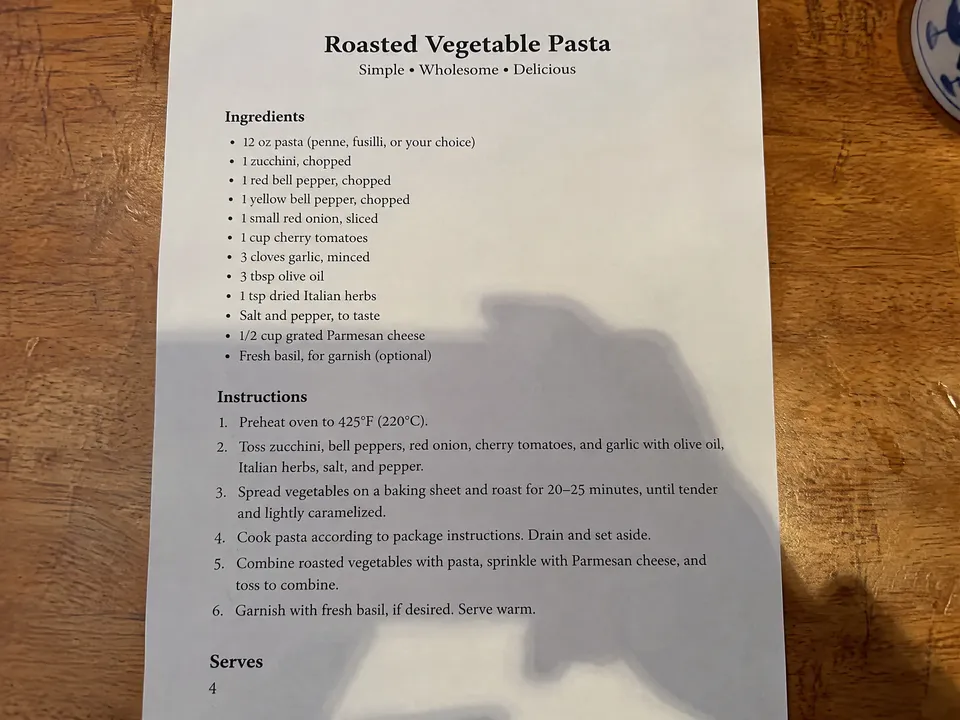
To remove a shadow from a photo, upload the photo to the editor below and say which shadow should go, for example "Remove the shadow of the phone and hand from the card. Keep the text the same." ImgPilot's AI image editor relights that part of the photo and keeps the rest. This works best on two kinds of photos: faces with harsh sun or hat shadows, and documents or recipes photographed with a phone shadow on them.

  • Faces and documents
  • Prompt already written
  • Credit cost shown before you send
  • Starter credits for new accounts
  • Updated November 9, 2026

Remove a shadow from your photo

Say what casts the shadow and what must stay. For a face, try: "Remove the harsh shadows from his face so it is evenly lit. Keep the person the same."

Model

Need several reference images or side-by-side models? Open the AI image editor

Which prompts remove shadows from a photo?

Name what casts the shadow and what must stay the same. Each before/after pair below is one unretouched run of GPT Image 2.5 · Sunburst, the default model in ImgPilot's AI image editor, with the prompt under it. The person in the portrait is AI-generated.

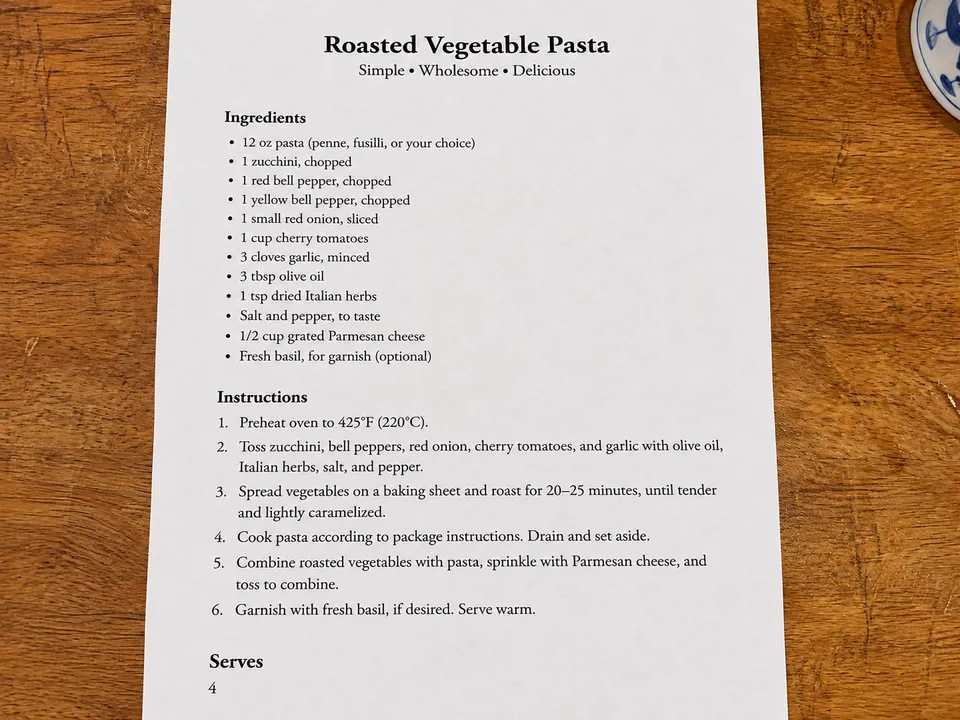
  • Phone and hand shadow on a document

    When to use: a recipe, receipt, form or page you photographed from above.

    A printed recipe card on a wooden table with a dark phone and hand shadow over the lower half
    Before
    The same recipe card evenly lit, with the text unchanged
    After

    Remove the shadow of the phone and hand from the card. Keep the text the same.

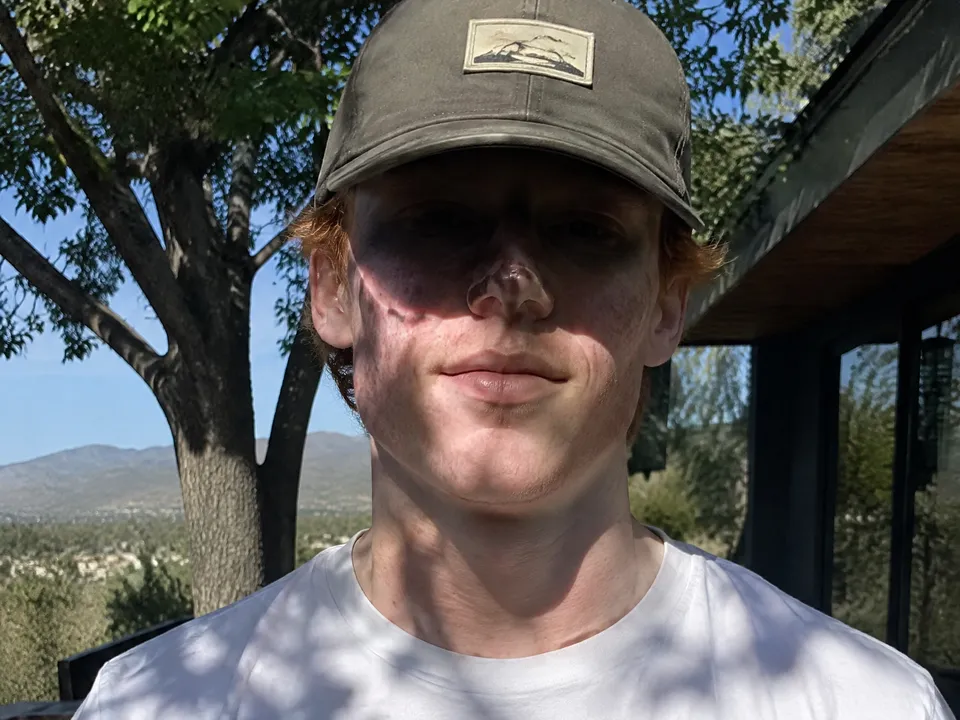
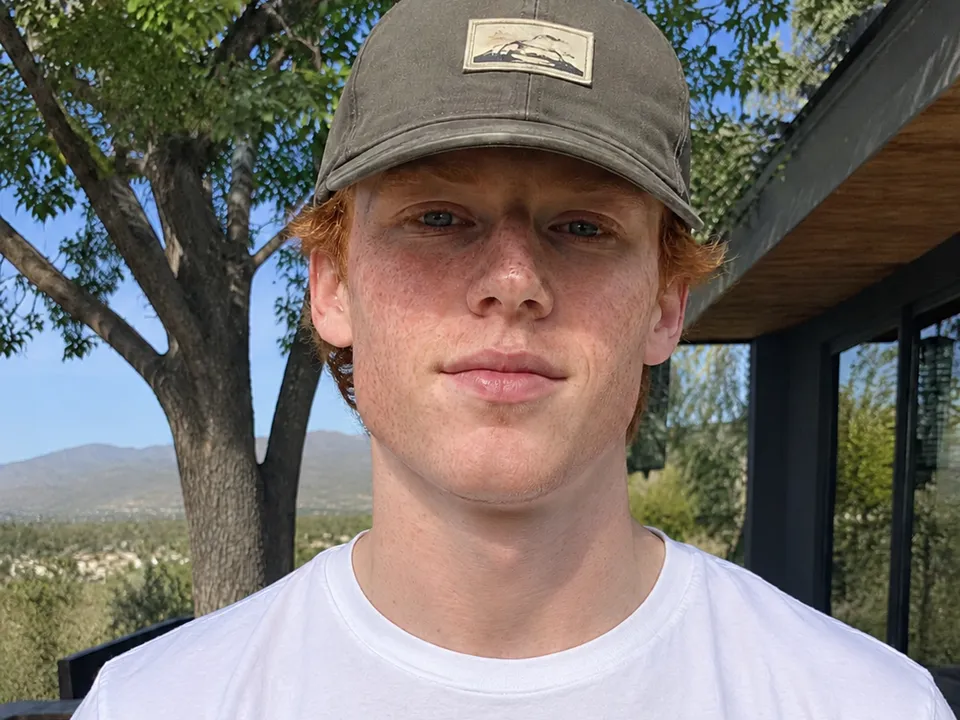
  • Cap and tree shadows on a face

    When to use: a portrait taken in midday sun, under a hat brim or under trees.

    A young man in a cap whose eyes are hidden in the brim's shadow, with tree shadows on his face
    Before
    The same man with an evenly lit face
    After

    Remove the harsh shadows from his face so it is evenly lit. Keep the person the same.

Step by step

  1. Add the photo

    Click "Choose image", or drop or paste the photo into the editor at the top of this page. It takes JPG, PNG or WebP files up to 10 MB. You need an ImgPilot account to upload and edit.

  2. Say which shadow should go

    The editor starts with the document prompt. For a face, replace it with "Remove the harsh shadows from his face so it is evenly lit. Keep the person the same." Always add what must not change, such as the text or the person.

  3. Check the cost and send

    The credit cost is shown on the "Remove shadow" button before you press it. The default model is GPT Image 2.5 · Sunburst. A shadow edit usually takes one to two minutes; in our tests the document took 90 seconds and the face took about four and a half minutes.

  4. Compare and download

    Drag the slider on the result to compare before and after. On a document, read the text where the shadow was. Then click "Download", or click "Edit this result" to fix what is left.

Which shadows can AI remove from a photo?

  • Works well: phone or hand shadows on documents, recipes and receipts, and harsh sun, hat or tree shadows on faces.
  • Works less well: a face where the shadow hides the eyes completely. The AI image model then draws the eyes, so they may not match the real person. Very dark photos with almost no detail are also hard.
  • Use another tool: when every pixel must stay unchanged, such as a document you need as evidence, rescan it in even light. ImgPilot's AI image editor redraws the whole photo, so check every word and number before you use the edited copy.

Why is the shadow still there, or the photo changed?

  • Part of the shadow is still there. Click "Edit this result" and name what is left, such as "remove the shadow on the bottom right corner".
  • The text on the document changed. Keep "Keep the text the same" in the prompt and run the edit again. Compare the numbers and names word for word.
  • Shadows on the clothes stayed. The AI image model changes what the prompt names. If the prompt says "face", add "and his shirt" to clear the clothes too.

Questions

Can AI remove a shadow from a photo?

Yes. ImgPilot's AI image editor removes shadows when you say which shadow should go, such as the shadow of your phone on a document or a hat shadow on a face.

Will the text on my document stay the same?

In the recipe example on this page, every word stayed the same. The AI image model still redraws the whole photo, so add "Keep the text the same" to the prompt and check the numbers and names before you use the edited copy.

Can AI remove a shadow that hides someone's eyes?

ImgPilot's AI image editor can light the face evenly, but where the shadow hides the eyes completely, the AI image model draws new eyes. Compare the edited photo with the person before you share it.

How many credits does shadow removal cost?

The cost depends on the model. ImgPilot shows the credit cost on the button before you send. New ImgPilot accounts get starter credits.

Do I need an account?

Yes. You need to sign in to ImgPilot to upload a photo and run an edit.